< Previous lesson | Overview | Next lesson >
=LEFT()
Extracting a given number of characters from a cells, counting from left
Sometimes you want to extract and use a portion of the contents of a cell, either number or text.
Let me give you an example. Say you have entered birth dates in the following format "yyyy-mm-dd", 2004-03-13. It is quite difficult to extract the year of birth here, especially if you have 13 000 of them...
This is where the magic of =LEFT() comes in...
Go to cell A1 and enter "Date of birth" -- without the "-s. Enter these numbers in the cells below: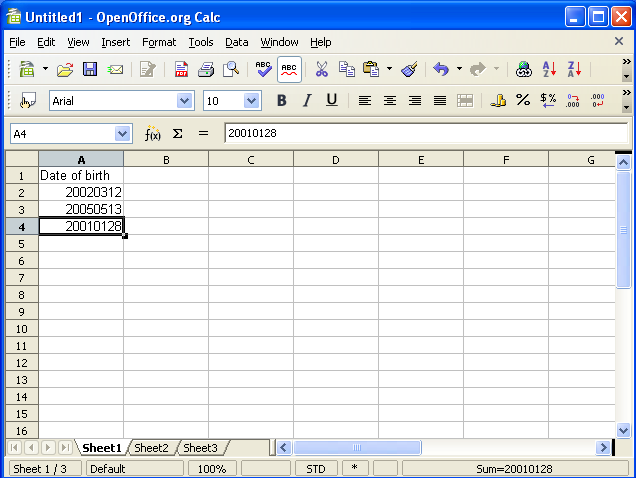
Go to cell B1 and enter "Year of birth".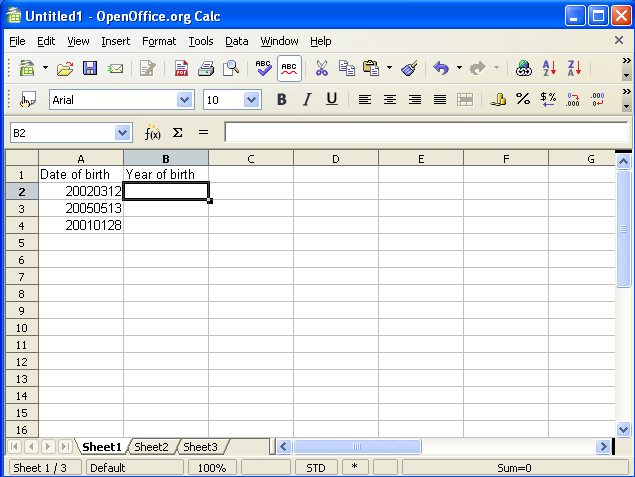
As you now can see, the cells A1 and B1 both act as column headings -- they describe what kind of data you expect to find below.
Go to cell B2 and type =LEFT(A2;4) and hit [Enter].
By the way: instead of typing A2 above, you can of course use your mouse and click inside cell A2 after you’ve typed =LEFT(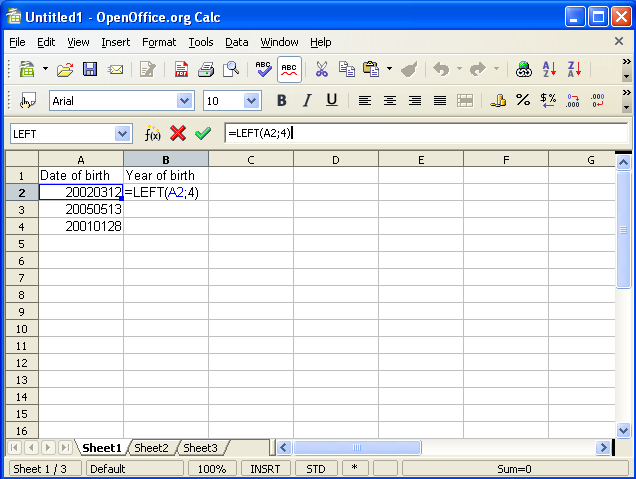
Copy down the cells from B2 to the cells B3 and B4. Do this by selecting cell B2 and grab the handle in the lower right corner of the cell and drag it down until you’ve covered B4.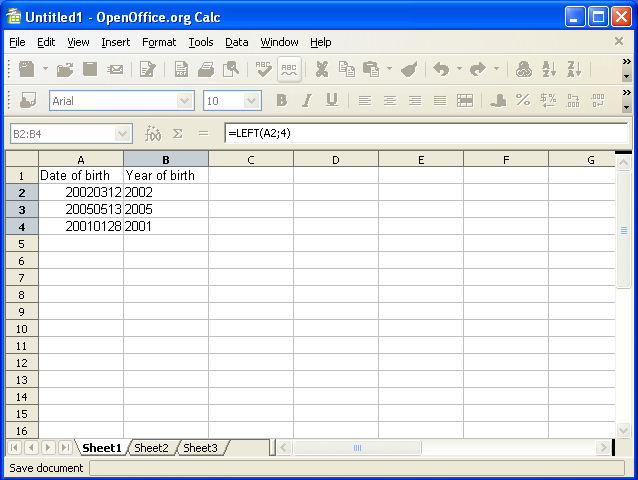
What happened? Your cell B2 should now read "2002", correct?
Let’s look a bit closer at what happened here...
What happens is that you instruct Calc to get the 4 first characters (in this case numbers) in cell A2 from left.